
What’s New in Document3D 2022
Continuous product improvement, release by release.
Pages3D Professional 2022
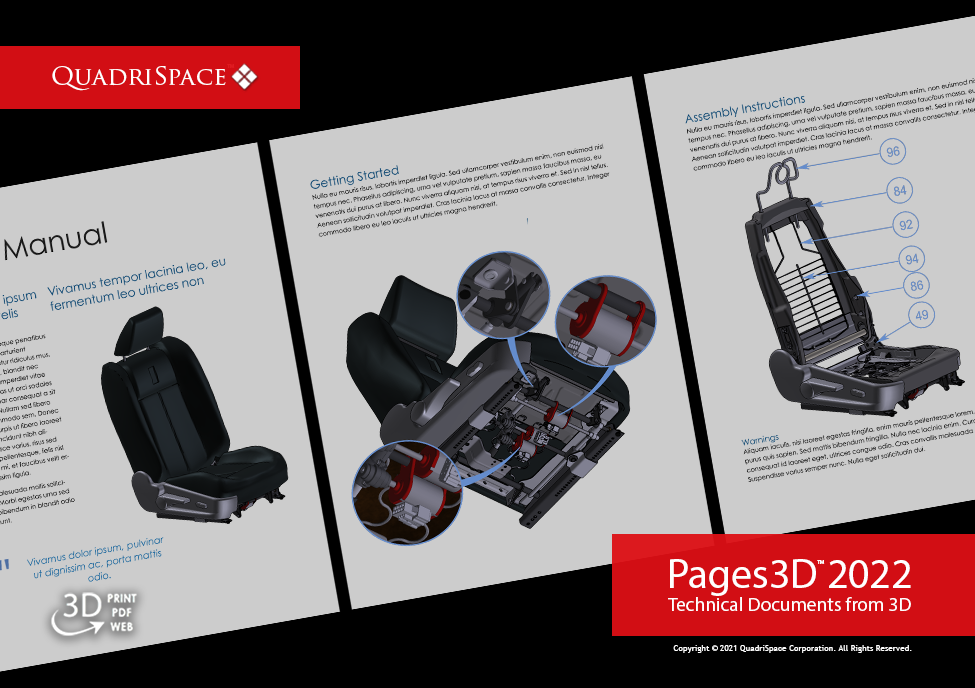
Pages3D 2022 includes new features that make publishing your content better than ever before. Seamless publish 3D and text while making use of new upgrades to parts tables and table of contens. Also, this new release includes the highly request hyperlinks in text boxes capability. Pages3D also includes many of the new 3D tools avalailable in Publisher3D 2022.
@@IMG:22-pages3d.png@@
Publisher3D Professional 2022
Publisher3D 2022 includes many new tools for working with 3D, especiaily larger models. Tools such as part filtering make it easy to sort through large parts lists. Also, the ability to treat subassemblies as weldments makes it easier to organize parts into manageable groups. Explore new import and export capabilities to work better with external ERP and PLM data..

@@IMG:22-publisher3d.png@@
Detail View Markup
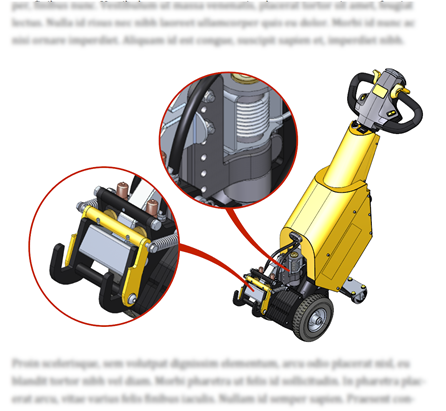
New with 2022, Create graphical zoomed illustration views that show close up details of areas in the 3D view.
@@IMG:22-illustration-zoom-view.png@@
Hyperlinks in Text Boxes (Pages3D Only)
Add hyperlinks in text boxes to initiate such actions as: goto a webpage, animate the 3D, select an illustration, change the mouse mode and other useful actions.

@@IMG:22-text-box-hyperlinks.png@@
Part Filter Tools
Use a filter to create a list of parts that fit a specified profile such as: matches a specified metadata value, has a quantity greater than X, has been used in specified configurations or parts lists or any combination of user defined parameters.

@@IMG:22-part-filter-tools.png@@
Treat Subassembly as a Weldment
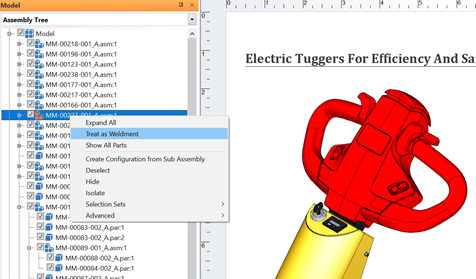
Import weldments from Solid Edge, or create your own “locked” subassemblies. Weldments will show up as a single line item in a parts list. When any part in a weldment is selected, the “locked” subassembly will be selected.
@@IMG:22-weldments.png@@
Import Part Metadata from Excel
Import part metadata from external data sources, such as ERP or PLM systems (from Excel). Also, export part metadata for other uses.

@@IMG:22-import-part-metadata.png@@
Table of Contents Upgrades
The 2022 version of the software includes a number of upgrades to the Table of Contents, including: support for multiple page and multiple column table of contents. Also, the Table of Contents will now show numbered text as appropriate.

@@IMG:22-toc-upgrades.png@@
Page Objects over 3D View
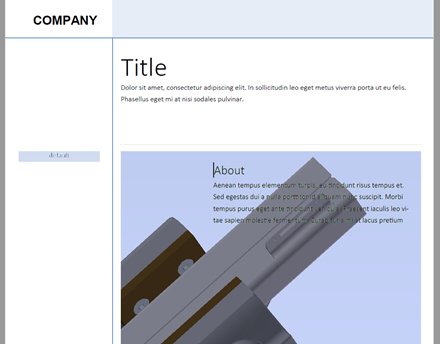
Better support for page objects over interactive 3D views when published to PDF or HTML.
@@IMG:22-page-objects-over-3d.png@@
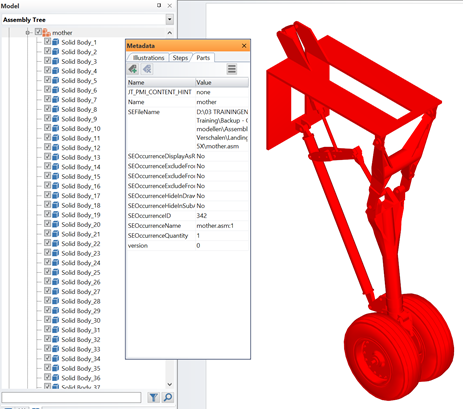
Top-Level Assembly Metadata
Access top-level assembly metadata and display this metadata on document pages.
@@IMG:22-top-level-metadata.png@@
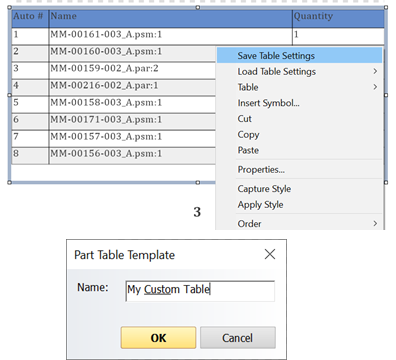
Save and Resuse Table Settings
Save part list settings to a user file for easy sharing and reuse. This helps maintain a consistent look and feel throughout a document or across multiple documents. Also, this can be used to manage consistent column fields.
@@IMG:22-save-reuse-table-settings.png@@
Custom Part Table Editing
More options for customizing parts list graphically. Users can now change fill colors, fonts and other properties for individual cells, rows, or columns.

@@IMG:22-part-table-editing.png@@
Try Document3D today
Every release builds on the last — download the current trial and see all of it in one product.